Communication
Notices and notifications from the administration to every resident.
 The platform · Nexus
Nexus brings together your condominium's finances, maintenance, amenities, access and documents. The administration uses it to run things and the board uses it to oversee them, with the same information, always up to date.
Works with your current administrator. If you'd like, Nuva can also run your condominium.
From the Nuva team, with more than 15 years running condominiums in Querétaro.
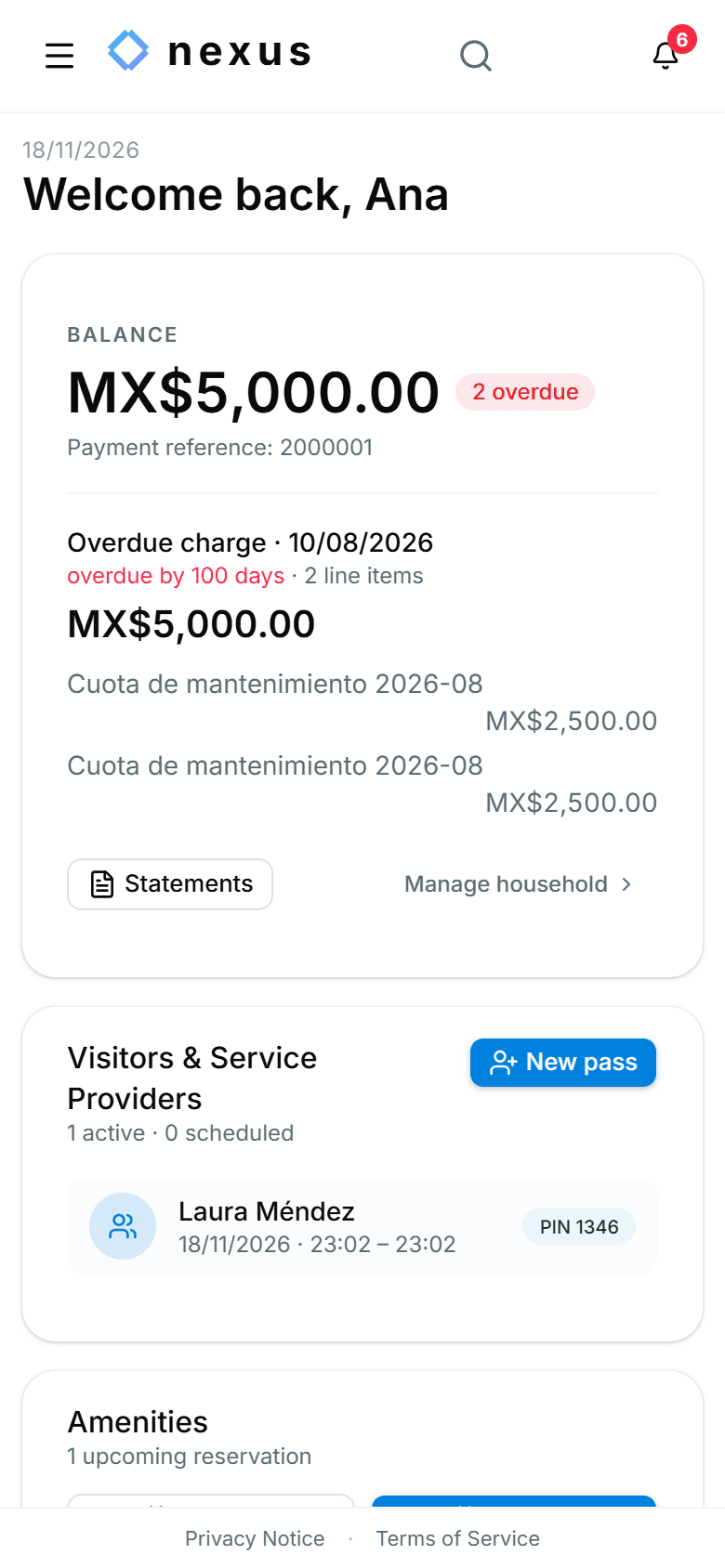
Real Nexus screens, with a demo condominium.
For the board and the oversight committee
Information no longer depends on someone sending it. The board looks it up in Nexus whenever it needs to.
What each person sees depends on their role: treasury and the presidency also see the funds, the bank reconciliation and the audit log.
| Without Nexus | With Nexus |
|---|---|
| Fees, payments and expenses in separate spreadsheets | One statement per unit, up to date with every payment |
| Transfers that have to be identified by hand | Transfers with the unit's reference are identified automatically |
| Issues reported over WhatsApp that get lost | Reports with a folio, an owner and follow-up |
| The board asks for information and waits | The board looks it up whenever it wants, by role |
| Visitors written in a notebook at the gate | Guest QR codes and a digital access log |
Without Nexus: Fees, payments and expenses in separate spreadsheets
With Nexus: One statement per unit, up to date with every payment
Without Nexus: Transfers that have to be identified by hand
With Nexus: Transfers with the unit's reference are identified automatically
Without Nexus: Issues reported over WhatsApp that get lost
With Nexus: Reports with a folio, an owner and follow-up
Without Nexus: The board asks for information and waits
With Nexus: The board looks it up whenever it wants, by role
Without Nexus: Visitors written in a notebook at the gate
With Nexus: Guest QR codes and a digital access log
We walk you through Nexus on a video call, no strings attached.
Modules
The modules are connected: a payment, a report or an entry shows up everywhere it's needed.
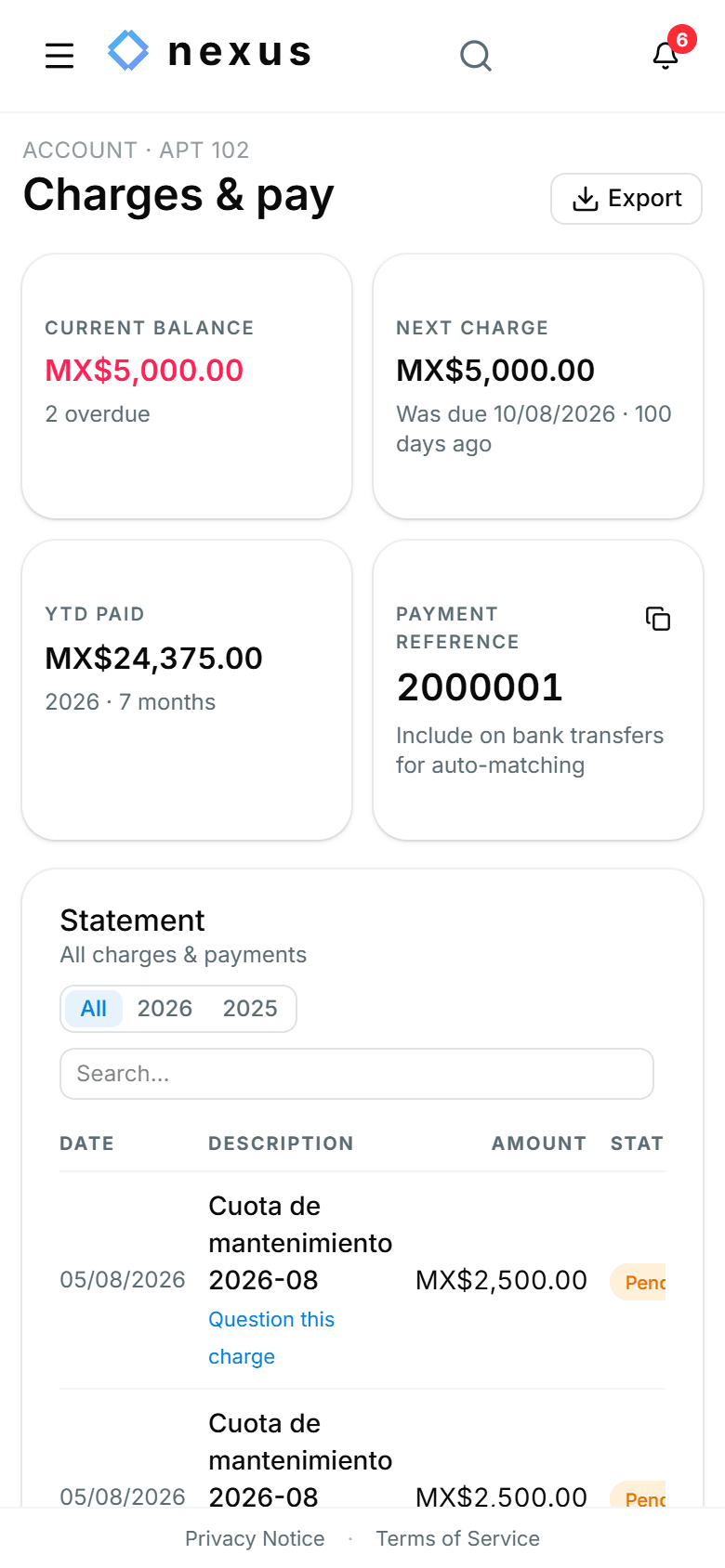
Every unit has its own statement. In bank reconciliation, transfers that arrive with the unit's reference are identified automatically and treasury just confirms them.
And also
Notices and notifications from the administration to every resident.
A supplier registry and a service directory for residents.
Find any page or action with a keyboard shortcut.
We walk you through Nexus on a video call, no strings attached.
For residents
The administration invites each resident by email, or the resident requests access to their unit from Nexus.
With an invitation, they're in. If they requested access, the presidency or the administration approves it.
They open Nexus in their phone's browser and add it to the home screen, like any other app.
Security and control
Committee, treasury, presidency, secretary, administration, residents and the gate see and do only what's theirs to do.
Every charge, payment and permission change is recorded: who, when and with which values.
A closed period is locked. Correcting it means reopening it, and reopening is logged too.
Export accounts, charges, payments, expenses, reports, access, documents and the audit log in a single file, whenever you want.
Onboarding
We set up towers, houses, apartments and parking spaces exactly as they are.
We load the units from a spreadsheet and set up the residents for you.
We configure fees, amenities, access and the modules your condominium will use.
Every resident gets an invitation and signs in from their phone.
We walk you through Nexus on a video call, no strings attached.
What's next
Card, transfer to a personal CLABE, and auto-pay, reconciled automatically.
Residents check their balance, pending charges, reports and bookings from WhatsApp, without opening the app.
We walk you through Nexus on a video call, with a sample condominium and focused on what your board needs to solve.